
Loading LabSnaps
Just a moment.
Loading
Loading privacy features
Preparing your dashboard
Did you know? LabSnaps reads your lab reports on your iPhone by default, so they stay private.
Just a moment.
Did you know? LabSnaps reads your lab reports on your iPhone by default, so they stay private.
Scan or import your lab reports, see how results change over time, and keep a separate record for everyone you care for. Parsing happens on your iPhone by default.
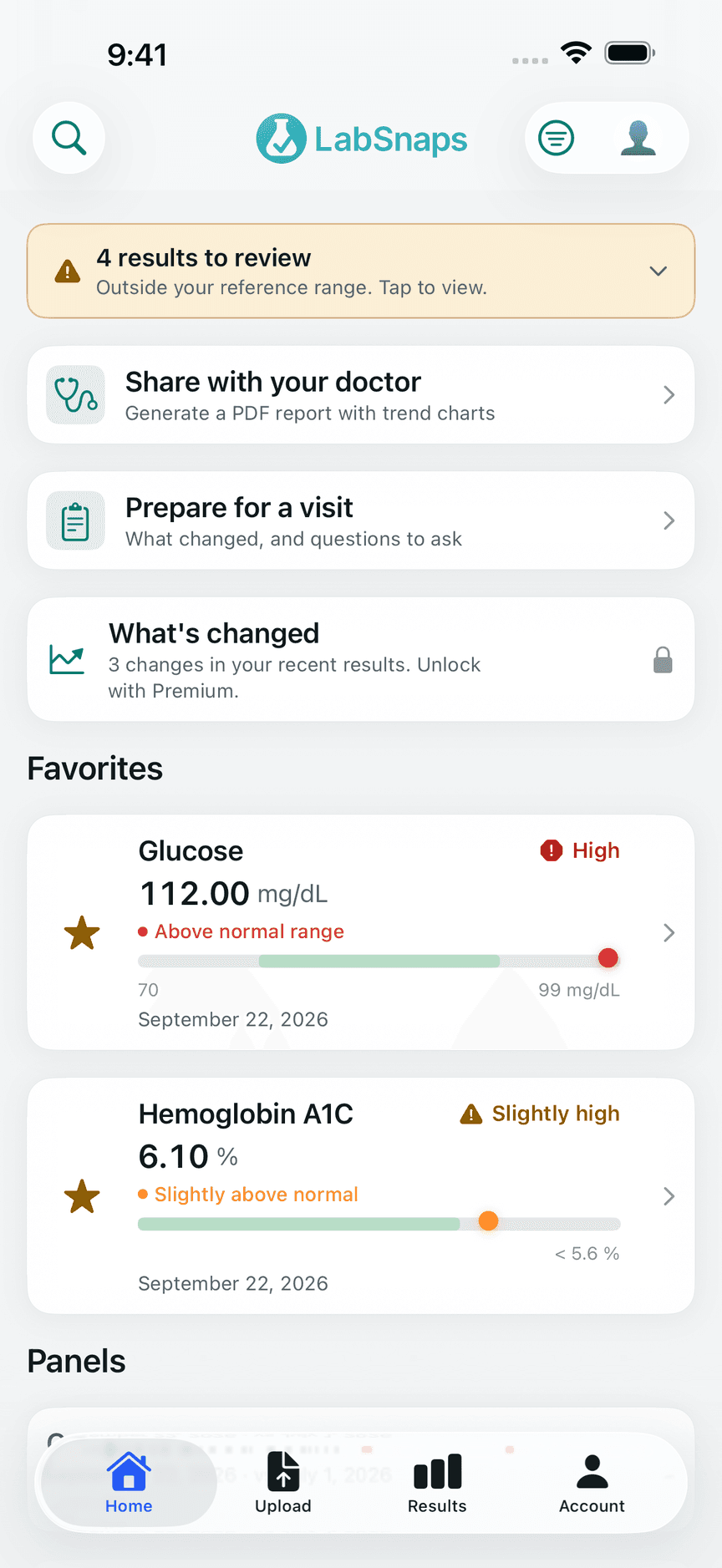
Favorites and results to review on your Home screen
Features
From the first scan to your next appointment, LabSnaps keeps your results organized and easy to follow.
Take a photo, pick one from your library, or import a PDF. LabSnaps reads the test names, values, units and reference ranges for you.
Every value is shown for review first, and anything the scan isn't sure about is flagged so you can check it against your report.
Charts show how each result has changed across reports, and where it sits against the reference range printed on your report.
Keep separate profiles for yourself, your kids, or a parent you help look after, each with its own results and history.
Import lab results from the health records you've connected in Apple Health, and save scanned results back to Health.
Create a PDF report with trend charts to share with your doctor, and prepare for a visit with what changed and questions to ask.
Built-in explanations of common tests, plus optional AI-generated educational context. Never a diagnosis or medical advice.
Set a reminder to retest, add notes to a result, tag reports, and find anything with search.
How it works
Scan it with your camera, or import a photo or PDF. Or bring in results from Apple Health.
Check the values LabSnaps found, fix anything it flagged, and save.
See trends across reports, set retest reminders, and share a PDF with your doctor.
Privacy
LabSnaps is built so the private option is the default one, and every exception is your choice.
Reports are read on your device. Nothing leaves your phone unless you turn on one of the optional features below.
AI Parsing and AI Insights are off until you turn them on, and each shows exactly what it sends before you agree. AI Parsing sends a photo of the report page; AI Insights sends only the result, not your identity.
Cloud sync is off by default. When on, your results are encrypted on your device before they're uploaded, with a key kept in your iCloud Keychain, so we can't read them.
Face ID or Touch ID protects the app, and your results are hidden in the app switcher and during screen recording.
Deleting your account in the app removes your cloud data, profile and sign-in right away. Export first as a PDF or FHIR file if you want a copy.
We don't sell or rent your data, and there's no advertising in LabSnaps.
Pricing
Scanning, review, trends, Apple Health, sharing and encrypted sync are all free. Premium is for people who want more.
Monthly subscription through your Apple ID. Cancel anytime.
FAQ
Not by default. Reports are read on your iPhone. Data only leaves your device if you turn on an optional feature: cloud sync (encrypted before upload), AI Parsing (sends a photo of the report page to Google's Gemini on Vertex AI so it can read it), or AI Insights (sends the result for an educational explanation, without your identity). Each asks for your consent first.
No. When cloud sync is on, results are encrypted on your device before they're uploaded, using a key stored in your iCloud Keychain. We store only the encrypted copy.
No. LabSnaps organizes your results and offers general, educational context about lab tests. It isn't a medical device and doesn't diagnose or recommend treatment. Talk to your healthcare provider about what your results mean for you.
It depends on the report, so LabSnaps always shows you what it read before saving and flags anything it isn't confident about. For hard-to-read reports you can choose AI Parsing, which reads the page image directly.
Yes. Create a separate profile for each person you look after. Each keeps its own results, trends and history. The free version includes two profiles; Premium removes the limit.
Yes. You can import lab results from health records you've connected in Apple Health, and save results you scan to Health. LabSnaps only accesses Health data you allow.
Create a PDF report with your results and trend charts and share it however you like. Results can also be exported in FHIR format, a standard many health systems use.
LabSnaps is free to download and use. LabSnaps Premium is an optional monthly subscription, billed through your Apple ID, that removes the daily AI limits and adds visit prep, trend insights and unlimited family profiles. You can cancel anytime in your Apple ID settings.
Delete your account in the app's Account settings. That deletes your cloud data, profile and sign-in account right away. Deleting the app removes the data stored on your device.
Free on iPhone. Requires iOS 17 or later.
LabSnaps organizes lab results and provides general educational information. It is not a medical device and does not provide medical advice, diagnosis or treatment.